Projects
Projects in the JOVA POS application are used to manage information related to projects or business branches, such as address, geographic coordinates, and other settings related to business locations or projects.
Purpose of Using Projects
The Projects feature is used to:
- Manage Locations: Facilitates recording and managing project or branch locations.
- Add Location Information: Including postal code, province, city, and geographic coordinate information.
- Set Project Status: Provides options to activate or deactivate projects as needed.
- Allow Transactions: Determines whether transactions can be performed for the relevant project.
Project Page View
1. Project Page Display
After selecting the Stores menu, click the Projects section. On this page, you will see a list of projects registered in the system.
Project page view:
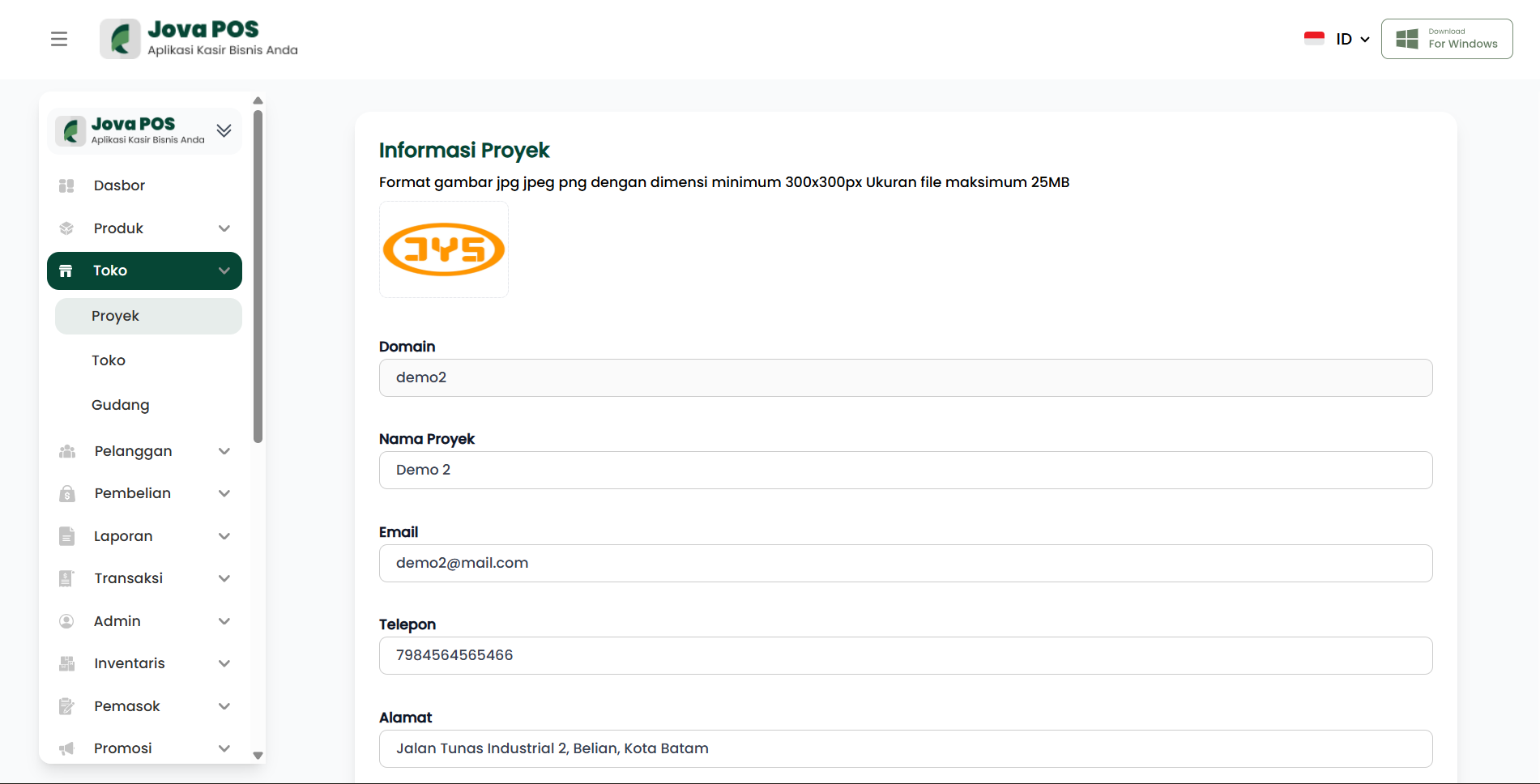
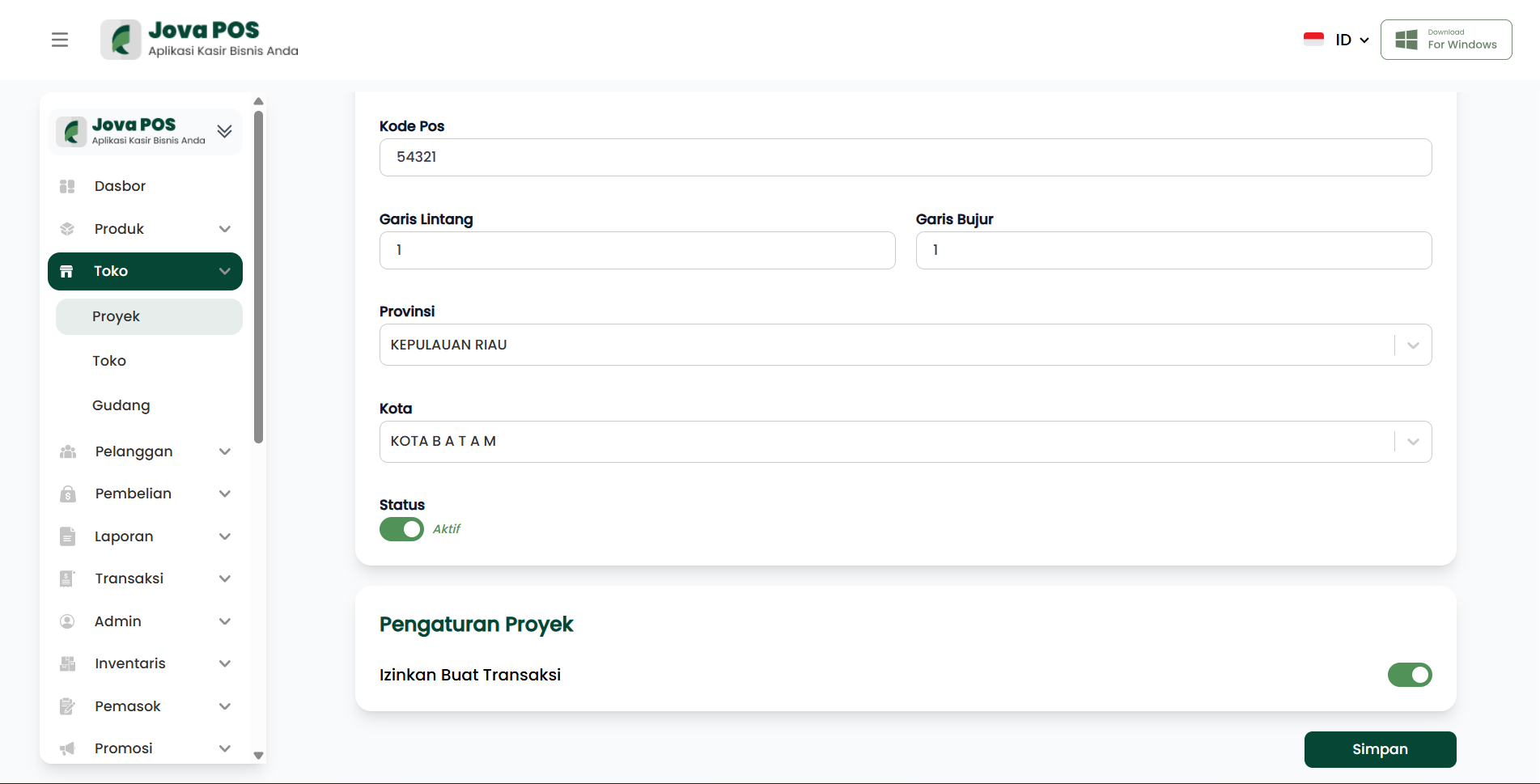
This page displays existing projects, including status and location details.
2. Project Settings: Status and Transactions
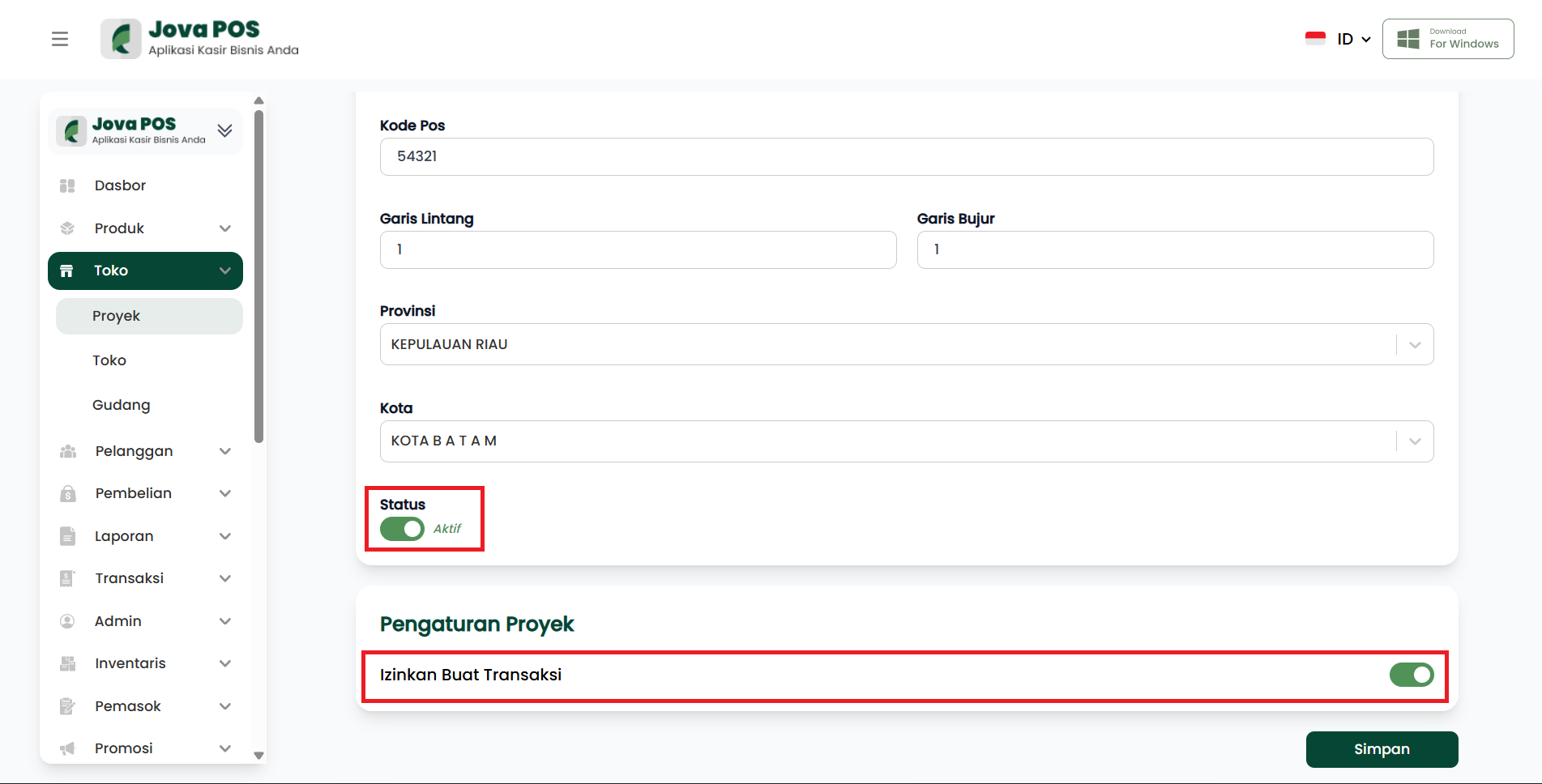
In addition to location information, you can edit the project status and set whether transactions are allowed for that project:
- Project Status: Select Active for an active project or Inactive for an inactive project.
- Allow Create Transaction: Enabling this option allows transactions to be made in that project. If not enabled, transactions cannot be made for this project.
Project settings view:
3. Save Project Changes
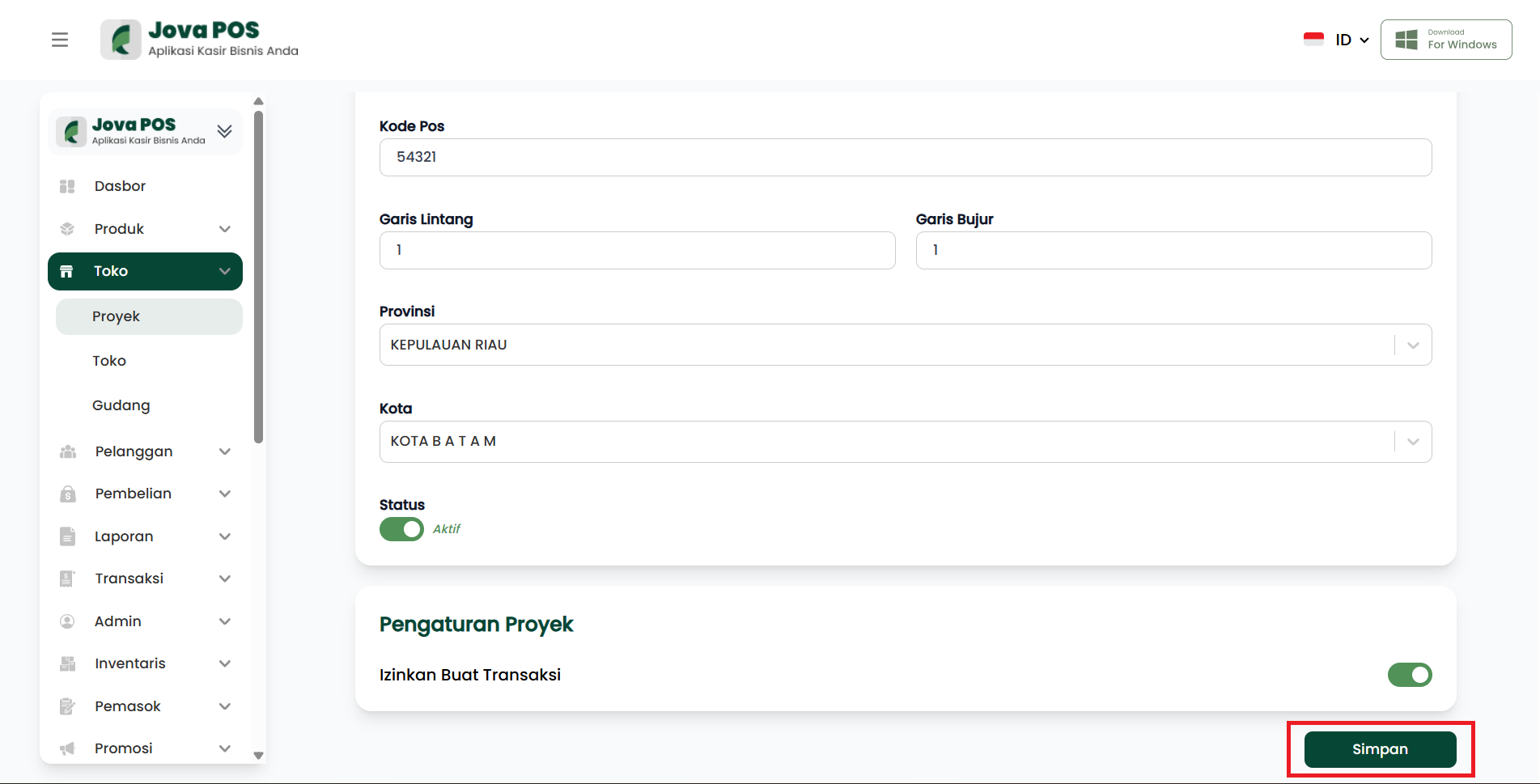
After making the desired changes, click the Save button to save the project changes.
Save button view:
Benefits of Using Projects
- Efficient Location Management: With the project feature, you can manage multiple business locations or branches more efficiently.
- Organized Transaction Recording: Allows transactions to be linked to specific projects, making tracking and financial management easier.
- Clear Project Status: Provides convenience to know the active or inactive status of each project or branch.
- Flexible Transaction Management: Determining whether transactions are allowed or not for each project gives full control over business activities.
Conclusion
The Projects feature in JOVA POS is very helpful in managing various business locations or branches. By providing complete information such as address, geographic coordinates, project status, and transaction settings, this system ensures the management process becomes more organized and efficient.
Troubleshooting
- Changes Not Saved: Make sure all information columns have been changed correctly and click the Save button to save the changes.
- Incorrect Coordinates: Double-check the entered latitude and longitude to ensure accurate data.
- Cannot Create Transactions: Make sure the Allow Create Transaction option is enabled if you want to allow transactions for this project.